
 Automatic Scanning and Search for Modified, New, and Deleted Files.
A convenient and easy-to-use File Scanner for your website to detect various Changes.
A Change Report can be sent by Email for more detailed analysis.
== Features ==
* File system monitoring for Modified, Added, and Deleted Files.
– Change Criteria: File Size, Modification Date, Access Permissions, Contents.
– Multiple Email Addresses can be specified to receive Reports.
– Paths can be specified to Exclude Files from Scanning. For example, cached folders, error logs, etc.
* File Extensions can be specified to Exclude Files from Scanning. For example, images.
* Automatic Scanning by Schedule or Manual.
* Selectable Time Intervals for Automatic Scanning: Hourly, Twice a Day, or Once a Day.
* Customizing the formatting of Scan Reports via a CSS Stylesheet file.
* Fully compatible with WordPress versions 4.1 and higher
* Fully compatible with PHP versions 5.4.7 and higher
Version: 2.14 (2026.05.11) You can download it from here.
Or from the Official WordPress Repository
== Installation==
Normal automatic installation.
1. Upload wpgear-files-changes-monitor’ folder to the ‘/wp-content/plugins/’ directory.
2. Activate the plugin through the ‘Plugins’ menu in WordPress.
3. Configure plugin settings.
4. If you have any problems – please ask for support.
== Frequently Asked Questions ==
N/A
== Screenshots ==
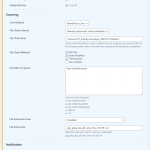
1. screenshot-1.png – Settings.
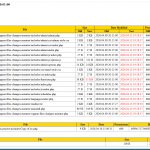
2. screenshot-2.png – Example Email Scan Report.
586 total views, 5 views today